Once a terminal has been configured, it can be started so it is ready for your advanced testing session:
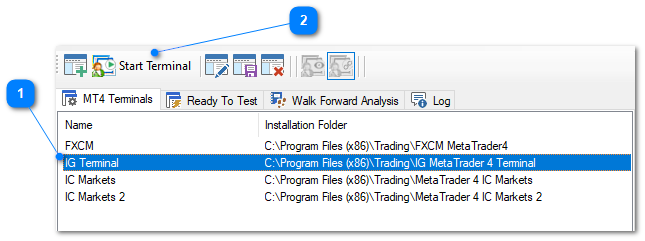
1.Select the terminal you wish to start.
2.Go to File > Start Terminal or click the Start Terminal toolbar button. This will start the nominated Metatrader terminal and the user-interface should appear shortly after.
|
NOTE: It is also possible to start your MT4 terminal directly from the Windows Start menu. If the terminal does not exist in the main terminal list, it will automatically appear once Metatrader has started. After this point, you can Modify the terminal configuration as required. |
