By default, terminals are immediately available for testing. In some cases, you may wish to disable testing for a particular terminal. Disabling a terminal ensures that the Advanced Tester is not active and no parameters will take effect. You can do this by selecting the 'Enable/disable' Testing toggle button:
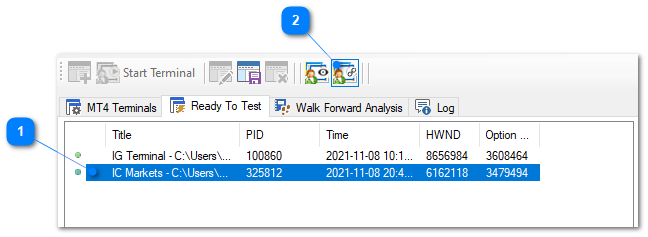
1.Select the terminal you wish to enable or disable.
2.Select Options > Enable terminal or click the Enable terminal toggle button. If a terminal was enabled, it will be disabled and vice versa.
A disabled terminal is shown with a red icon to the left and grayed out in the Ready To Test view as shown in the screen-shot below.
